

With the crowding and great competition for
advertising spaces on social media platforms, which reduces the number of views
of your ads, Google advertising remains the most effective and fast way.
In
need, here advertisers can appear in ads based on these search words, which
increases the accuracy and effectiveness of the marketing campaign. In this article, we will take you on a quick
five-step tour through the fastest and easiest ways to create a Google
sponsored ad.
Step One: Create a New Google Ad
 |
| Create a New Google Ad |
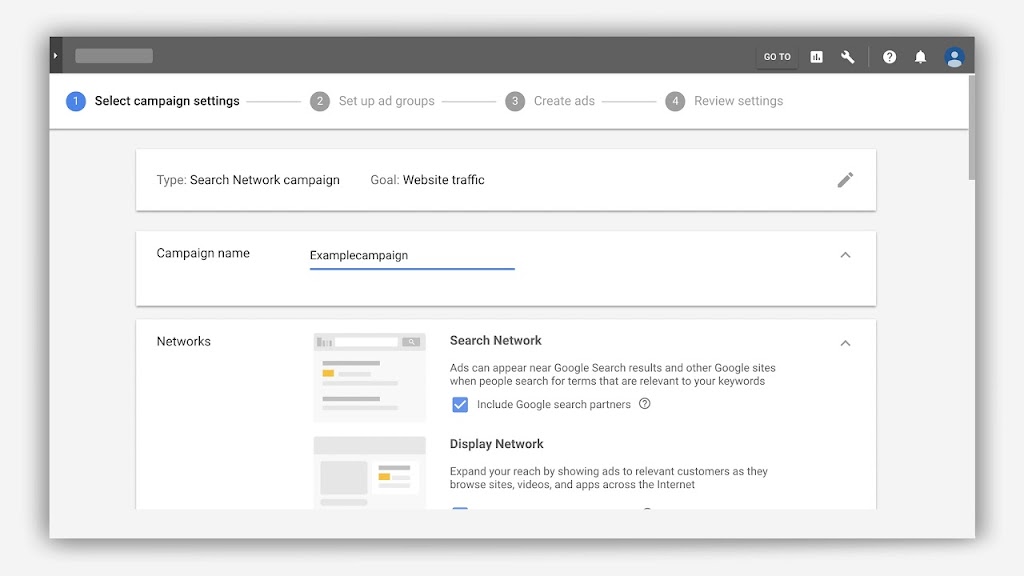
When entering the Google Ads platform and opening
a new account, you can enter the main page, which is the control panel of your
account on the Google Ads platform, in which you can create new campaigns,
continue the work of other previous campaigns, and improve or stop them.
You
can also through this panel search for keywords to target through The Google
Keyword Planner tool located under the Tools menu in the top bar. But to make
it simple for you, we will enter into an establishment
– A new Google advertisement directly, on it, you
must click on NEW CAMPAIGN at the top of the page.
Second Step: Choose the campaign type for Google Ads
 |
| Selecting Campaing type with Google AD Words |
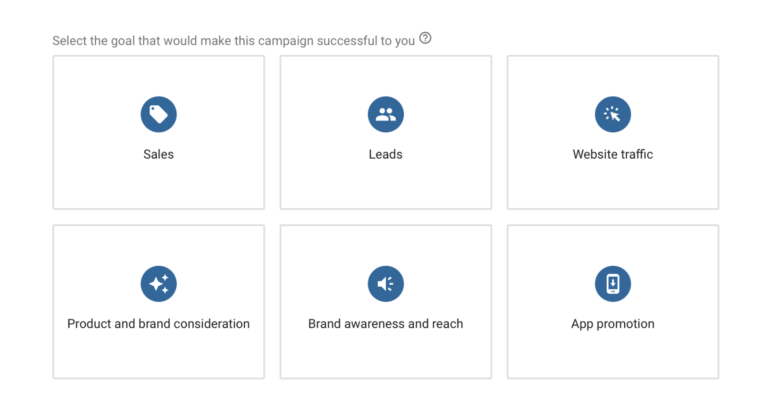
When you create a new Google ad, you will go to a
new page to choose the campaign goal, and the goal here is what we mean by what
is the desired goal of this marketing campaign, is it direct selling products
on your online store? Is it to get target customer data for your services
either on the ground or online? Or is it a campaign to increase your brand
awareness?
Or the campaign objective is to increase downloads for your
smartphone app, however, whatever the objective of the campaign you can choose
from the list. Here we will choose as an example the Website Traffic campaign.
Step Three: Choose a Google Ad Campaign Type
 |
| Choose a Google Ad Campaign Type |
In this step, we will choose the type of
advertisement, or rather where you want your ad to appear, as there are many
options, including advertising through the search results of Google, meaning
that your ad will appear in text form in the search results, which is the most
used type of Search Ad, the other method is Display Ad, which is An image ad or
Banner appears on related sites and these sites have Google ad spaces on them.
The third type is the Shopping Ad, where Google will show the products of your online
store on the search engine directly for the search on them. The fourth method
is the video ad or Video Ad. What is meant here is YouTube ads, which we will
discuss separately in another article. For any solution, we will choose the
type of Search ad so that our ad will appear as a search result on the Google
search engine.
Fourth Step: Choose the network, costs, exchange type and language
In this step, the first thing you have to do is
to cancel the Display Network, which is activated automatically, we will only
need a text ad on Google, then we choose the countries that we will target in
the advertisement and the target language as well.
The other and most important
point is the funding budget and its type, Budget & Bidding, here it will
ask you Google how much the total value you will spend for advertising in the
currency that you chose when opening your account, secondly the type of
exchange and there are three main types, the first is Conversions or conversion
and here Google will charge you only if visitors make an actual purchase from
your site and usually this type of campaign is the most expensive, The second
type is Clicks, meaning that Google will charge you based on the number of
clicks on your site in the search results, the last type is Impression Share,
meaning that Google will charge you for viewing your ad on Google even if
visitors do not enter your site, we will choose in this example Click is the
option The most common.
Fifth step: Choose keywords for Google ads
 |
| Choose keywords for Google ads |
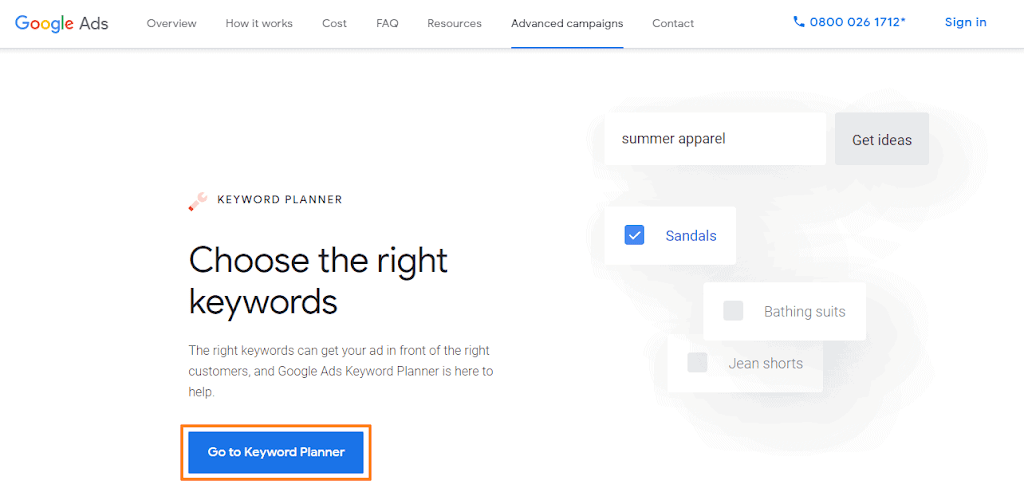
This step is the most important, as you will put
the keywords that will be targeted by the advertisement, in a simplified way,
you will write the search words, whether individual “shoes” or vehicle “men’s
shoes” each in a separate line, these are the words that if the searcher enters
them on Google, your ad will appear to him as a funded advertisement , you will
enter your keywords in the box on the left of the screen, on the right of the
screen you can place a site for one of your competitors and Google will help
you and take some keyword ideas from them.
After you have finished putting the
keywords, which may be in the hundreds, you must continue to the last step,
which is to formulate the advertisement.
Step Six: Drafting the Google Funded Ad Texts
 |
| Drafting the Google Funded Ad Texts |
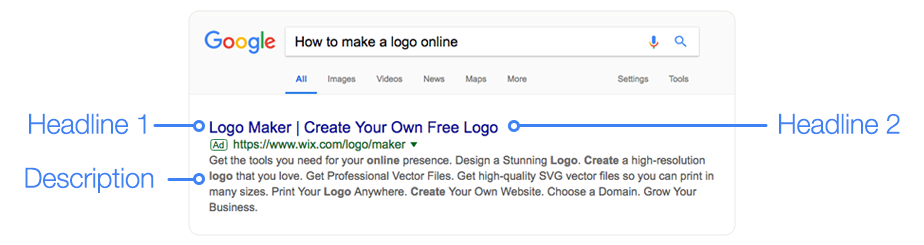
This step is very direct, as you will write the
texts that will appear in the sponsored advertisement, this screen is divided
into two parts, on the left are the texts that you will enter, and on the right
is the form of the advertisement that will appear, whether on large screens or
on the mobile.
The first box is the link on your site that the visitor will go
to when clicking on the ad, the second and third boxes are Heading 1 and
Heading 2, which is the title that will appear in the search results and it is
divided into two parts and Google will show them separated, and they are
limited to 30 characters only.
There is Heading 3 but it does not It always
shows Google shows the third title by screen. The fourth box is optional. You
can put a formal link that appears in the advertisement, but the advertisement
will go to the link in the first box. The fifth box is the description, and
here you will place the text accompanying the title that appears below it, with
a maximum limit of only 90 characters.
Finally, you will be taken to the home page of
the Google Ads platform, and the campaign will launch after being reviewed by
Google. The review takes between two hours to 5 days, so do not be surprised if
the advertisement does not work for days, this is normal.

