

How to create your own NFT on your cell phone using APPS
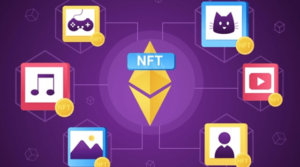
Making NFTs can be a difficult issue for many, especially if you have been inspired by a group of collections and collections, such as the famous Cyberpunk or Bored Apes. You may find that the amount of detail in those images (sometimes) is too many and it is difficult to achieve similar ones by relying on design software in general. Especially if you are using your mobile only to create images that can be sold later in the NFT format.
We can help you with the lines of this article, which suggests applications that can help you in the NFT industry to extract your creativity. Then create your own NFT package using just a smartphone and sell it as NFT.
 |
| GoArt – NFT |
GoArt – Art NFT Creator App (Android and iOS)
One of the famous applications in the field of NFT design, available on both Android and iOS together. The app is free with paid features within the app. The idea behind the app is very simple, you insert your own images or designs, and it shows you what kind of filters you can convert those images into a bundle of different images that can be configured as an NFT bundle.
Then you can download it to your smartphone, to start the technically more difficult task, which is to upload your content that you designed using the application to one of the NFT platforms and sites.
One of the downsides to the app is that it’s limited in the free version, as long as you don’t have a paid account, which limits the app’s features. If you are serious about NFT, it won’t hurt to pay for the prepaid account, you may get back your money twice if you sell some designer boards through the app.
 |
| NFT Creator App |
NFT Creator App! (iOS system)
NFT Creator App! It is an app available for iOS only. In the NFT Creator app! You can create NFTs in a number of different ways. First, you can draw the NFT directly through the app via a set of filters, add-ons, and Edits.
You can insert and modify application images so that they are in the form of an NFT image. Secondly, there are more than 100 templates in the app to create different NFTs, through which you can form a specific style of characters, and the app will render dozens of templates based on that template.
Thirdly, you can also create videos and extract them as GIFs from and publish them later in the form of NFT. This application is distinguished by the fact that it includes thousands of tools and elements (eg animals, icons, characters, nature elements such as flowers and birds …) and thousands of fonts as well, and thousands of backgrounds as well. You can combine this and that to get your own NFT masterpiece. Then extract it and publish it.
The application is free, but it will require you to sign up for a paid account to extract images or access more features.
 |
| SuperMe App |
SuperMe App (Android and iOS)
It is not an application specifically directed at NFT, but a large number of users rely on it to create avatars or characters that can later be sold as NFT in the network. SuperMe is an app that offers the ability to customize an Avatar or an iconic character by selecting each element individually.
Such as defining hair style and colors, eyes, nose, mouth, clothes, background, and skin color, and compare to that from other characteristics. Finally, you can extract that avatar in the form of an image, and you can convert it into an NFT format after you upload it to an NFT selling site.
 |
| 8bit Painter app |
8bit Painter app (Android and iOS)
8bit Painter is an open source application that is available for both Android and iOS systems completely free of charge. We’ve seen Pixel-style masterpieces sold for millions of dollars in NFT, the most important of which is the Cyberpunk bundle, with one token bringing in half a million dollars in revenue. You can create images and designs similar to them with 8bit Painter.
The application divides the screen in the form of squares, you can color and shape each square to get a result in the last Pixelated. You can turn those images into profitable material by broadcasting the rights to them on the NFT selling platform.
 |
| NFT GO App |
NFT GO App (iOS)
NFT Go is not only an application for the manufacture of NFT, it is a complete system for anyone who will take their first steps in the field of NFT. The application provides various services, the first of which is the manufacture of NFT by forming a group of elements, changing their colors, and creating masterpieces through it.
Then NFT Go offers a tab where you can explore, quote or draw inspiration from some of the most popular NFTs in the world right now. Third, and the best, through the application, you can upload the NFT content that you have created on multiple platforms, and manage it through the application.
You don’t need to use multiple apps and platforms when you use NFT Go, because it is a single platform to create, explore, sell and publish NFTs on most popular stores.